
Problem
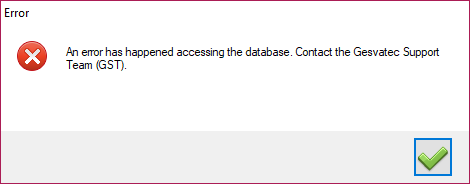
Right after running the software, the following error message appears: An error has happened accessing the database. Contact the Gesvatec Support Team (GST). You cannot log in to the software or print labels.
Descripcion de la imagen
Dialogo de error de Windows con icono X roja. Titulo: 'Error'. Mensaje: 'An error has happened accessing the database. Contact the Gesvatec Support Team (GST).' Boton: check verde (aceptar).
This problem occurs when the software cannot connect to its database, and can have several causes.
Possible solution
Run the GesvaFixTool
The GesvaFixTool automatically repairs several problems that might prevent Gesvatec from connecting to the database. To use it, follow these steps:
-
Download the most recent version of the tool in the following link:
-
Navigate to the folder where you downloaded the tool. Right-click the GesvaFixTool.exe file and run it as an administrator.
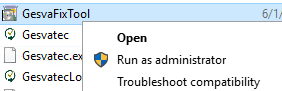
Important: if you don't run it as an administrator, the tool won't be able to perform the repairs.Descripcion de la imagen
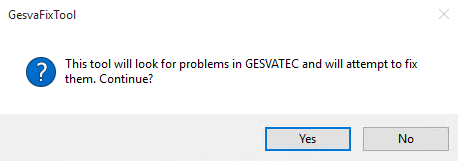
Dialogo de GesvaFixTool. Titulo: 'GesvaFixTool'. Mensaje: 'This tool will look for problems in GESVATEC and will attempt to fix them. Continue?' Botones: Yes, No.
- Accept the information message and wait until the tool completes the repair process.
Descripcion de la imagen
Captura del explorador de archivos de Windows mostrando la carpeta de Gesvatec. Archivos visibles: Gesvatec, Gesvatec.ex..., GesvateCo... Se muestra el menu contextual de GesvaFixTool con opciones: Open, Run as administrator, Troubleshoot compatibility. El archivo aparece como 6/1 en la barra de titulo.
After this, you can run Gesvatec again to check if the error message is gone.
If the problem persists...
Contact us through this form and we will help you as soon as possible.