
Problem
When trying to make a transaction, this error message appears:
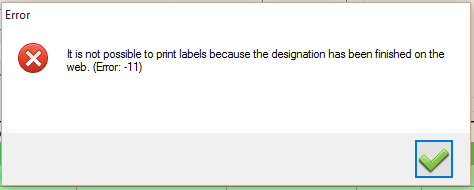
Descripcion de la imagen
Dialogo de error de Windows. Titulo: 'Error'. Mensaje con icono X roja: 'It is not possible to print labels because the designation has been finished on the web. (Error: -11)'. Boton: check verde (aceptar).
Solution
This message appears when the designation is marked as Finished; in that state you cannot print any more labels from it. To print again you need to reactivate it: locate the affected designation and use the corresponding control depending on your software version:
- If the software shows a checkbox labelled "Finish designation" to the right of the designation: uncheck it to reactivate it.
- If the software shows an on/off button (whose tooltip reads "Activate/Deactivate designation"): press it to activate the designation.
Once reactivated, you will be able to print labels normally. If the problem persists after this, please contact us so we can review it.
Note: the Finish designation option is useful when you are not going to have more produce from a certain designation. For more information, check the following guide: